
Guide
Prepare your wholesale records for an Excel-to-ERP migration
An Excel-to-ERP migration works best when the business separates master records from transaction history before importing anything. Begin with products, customers, suppliers, locations and opening stock, then decide which purchases, sales and account balances must move. Standardize product names, units and identifiers; remove duplicates; and flag missing serial numbers instead of guessing. Assign an owner who can approve mapping decisions and reconcile totals. Next, import a representative sample that covers several products, warehouses and customers. Compare the result with the source workbook and document any transformation rules before the full migration. Dotcode can assess supported migration during implementation, but the exact scope depends on the structure and condition of the supplied files. Keep an untouched archive of the source data and agree on a cutover point before users begin entering live transactions in QuickAccounts.
- Free product demo
- Unlimited users
- Setup and team training included
Separate master data from history
Identify products, customers, locations and opening stock separately from purchases, sales and historical transactions.
Normalize the fields people actually use
Resolve duplicate product names, inconsistent units, missing serials and unclear customer accounts before importing anything.
Validate with a representative sample
Test a sample across warehouses, products and customers, then reconcile the result with the source files before go-live.
Inside the workflow
A practical record trail from stock to service.
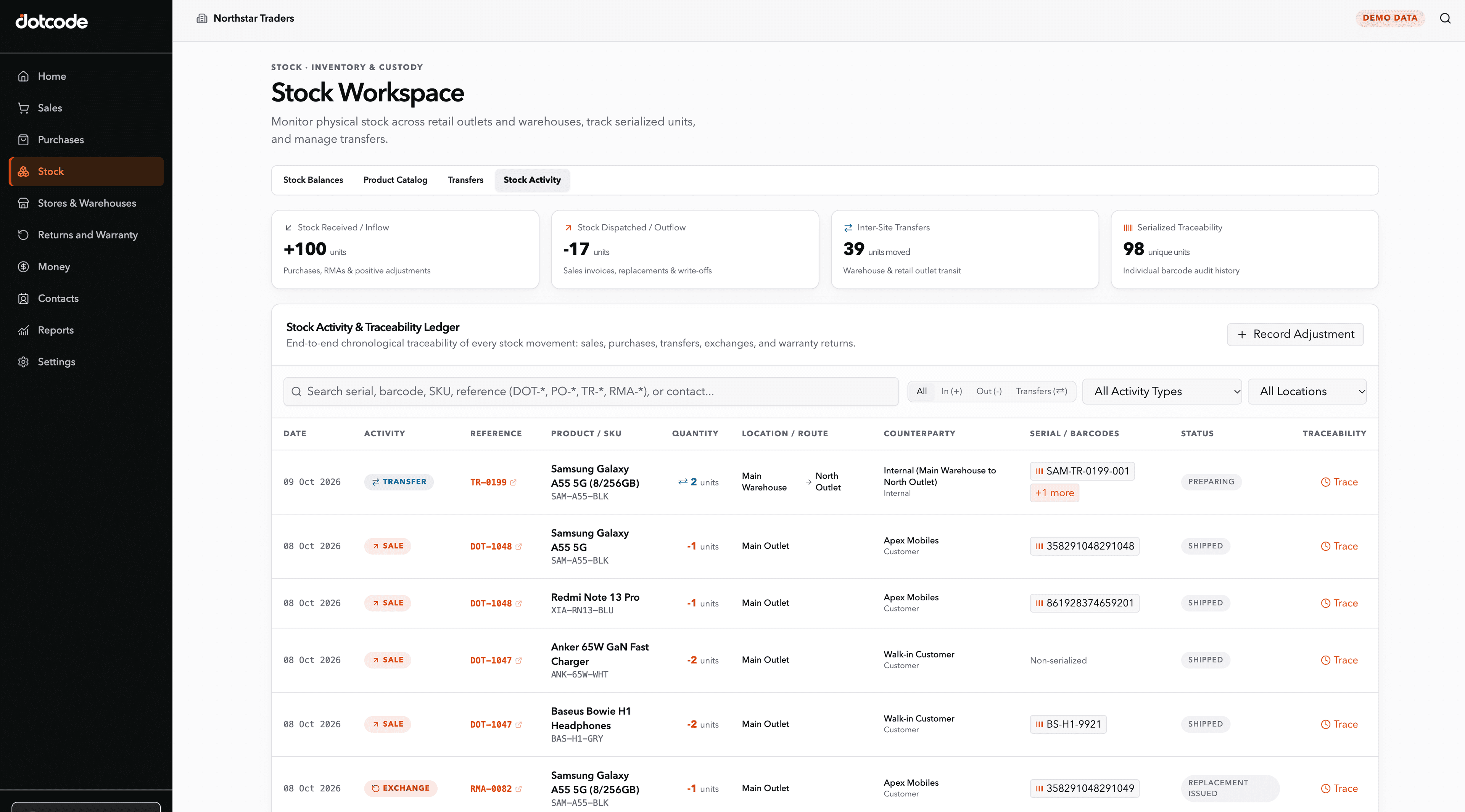
A distributor can receive a serialized product, sell it against a customer account, find the original invoice later, and review a warranty or RMA request without rebuilding the history from separate spreadsheets.
- Receive: Record products, quantities and serial numbers.
- Sell: Connect the item to the customer and invoice.
- Resolve: Verify warranty status and coordinate return or replacement.
See whether QuickAccounts fits your workflow
Talk through your current records, team needs and setup before choosing a license.
Frequently asked questions
Can Dotcode migrate our Excel records?
Supported migration may be available. Share representative files during the implementation discussion so the scope and data quality can be assessed.