
Dotcode for agricultural supply
Inventory software for agricultural supply distributors
Agricultural supply follows the crop calendar. Demand concentrates around sowing and harvest, stock sits across regional warehouses, and dealers buy on account. Dotcode keeps those threads together so the office can answer stock and balance questions during the busiest weeks.
- Free product demo
- Unlimited users
- Setup and team training included
Seasonal purchasing with a supplier trail
Purchases are prepared for a specific supplier, with the lines, costs and receiving location recorded before the goods arrive. Receiving against that order creates the stock increase, so a consignment can be traced back to its source when questions come up.
Stock across regional warehouses
Regional depots and central warehouses can be separate stock locations, each with its own code. Transfers record what moved between sites and when, which helps the team decide where to send the next delivery.
- Separate records for each depot or warehouse
- Transfers with a sending and receiving location
- Purchases tied to the site that receives the goods
Dealer and grower accounts
Dealers and larger growers often buy across a season and settle in stages. Invoices post to the customer ledger with a running balance, so outstanding amounts and the sales behind them can be reviewed in one place.
Returns and replacements
When stock is returned or replaced, staff can open the original sale and customer first. The return is recorded against that transaction, and stock and account entries follow so the depot and the office stay aligned. Dotcode provides setup, supported migration and training.
Inside the workflow
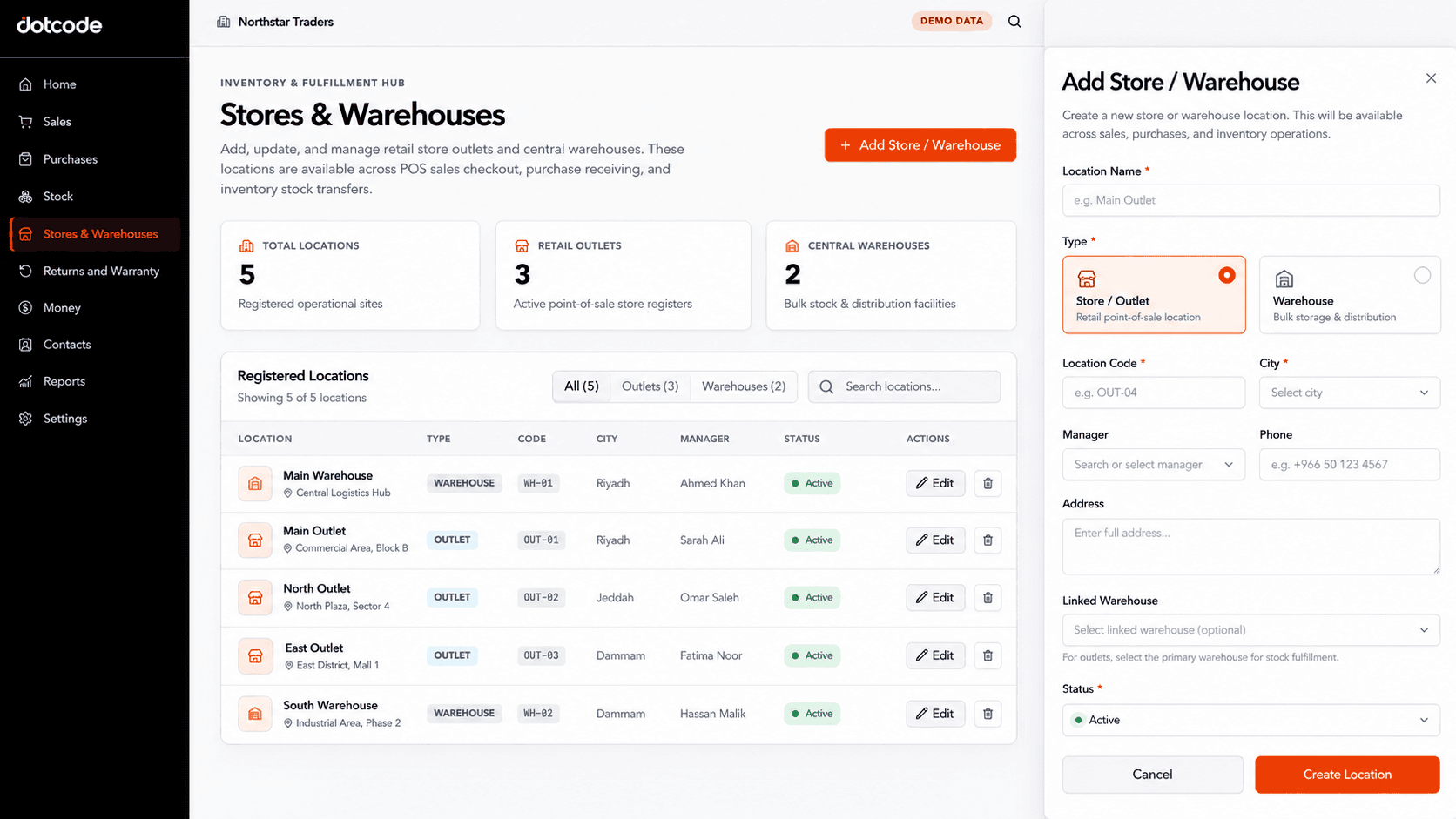
Regional depots under one stock record set.
Each depot and central warehouse is defined as its own location. Purchases and transfers reference the sites involved, so seasonal stock can be followed between regions without informal records.
- Register: Create records for each depot and warehouse.
- Receive: Assign incoming stock to the right site.
- Transfer: Record movement between regions.
See whether QuickAccounts fits your workflow
Talk through your current records, team needs and setup before choosing a license.
Frequently asked questions
Can we plan purchases around the season?
Purchase records and sales history give the team a basis for seasonal planning, and each order stays traceable to its supplier and receiving site.
Can we manage stock in several regional warehouses?
Yes. Each depot or warehouse is a separate stock location, with transfers recorded between them.
Does it support dealer accounts?
Yes. Invoiced sales post to a customer ledger with a running balance, so dealer balances are visible alongside their transaction history.
Does it handle regulated agricultural products?
Record requirements for regulated inputs vary by product and jurisdiction. Bring your needs to the guided demo so the team can confirm what the setup covers; regulatory procedures remain with your own team.