
Dotcode for building materials
Stock and accounts software for building material dealers
Building material dealers work with bulky stock, long supplier chains and customers who buy in phases. Dotcode keeps tile, sanitary ware and material records organized by location, and gives the office a clear view of contractor accounts and invoices.
- Free product demo
- Unlimited users
- Setup and team training included
Stock organized by product and location
Each product line is held as its own record, with quantities tracked at the warehouse or yard that holds it. When stock is moved between sites, the transfer records the sending and receiving location so the count stays accountable.
Purchasing with the supplier trail intact
A purchase record identifies the supplier, the lines ordered, the costs and the destination. Receiving against that record creates the stock increase, so the warehouse can later explain where a consignment came from and when it arrived.
- Purchase orders prepared for a specific supplier and site
- Receiving that updates stock at the destination location
- Product records that carry the codes your counter uses
Accounts for contractors and trade buyers
Project buying often runs on account and in several invoices. Each sale posts to the customer ledger with a running balance, so the dealer can review what a contractor has taken, what has been paid and what remains outstanding.
Returns, short deliveries and adjustments
When goods come back or an invoice needs correction, the adjustment is recorded against the original sale and customer. Stock and account entries follow the same transaction, which keeps the yard and the office from working with different figures.
Inside the workflow
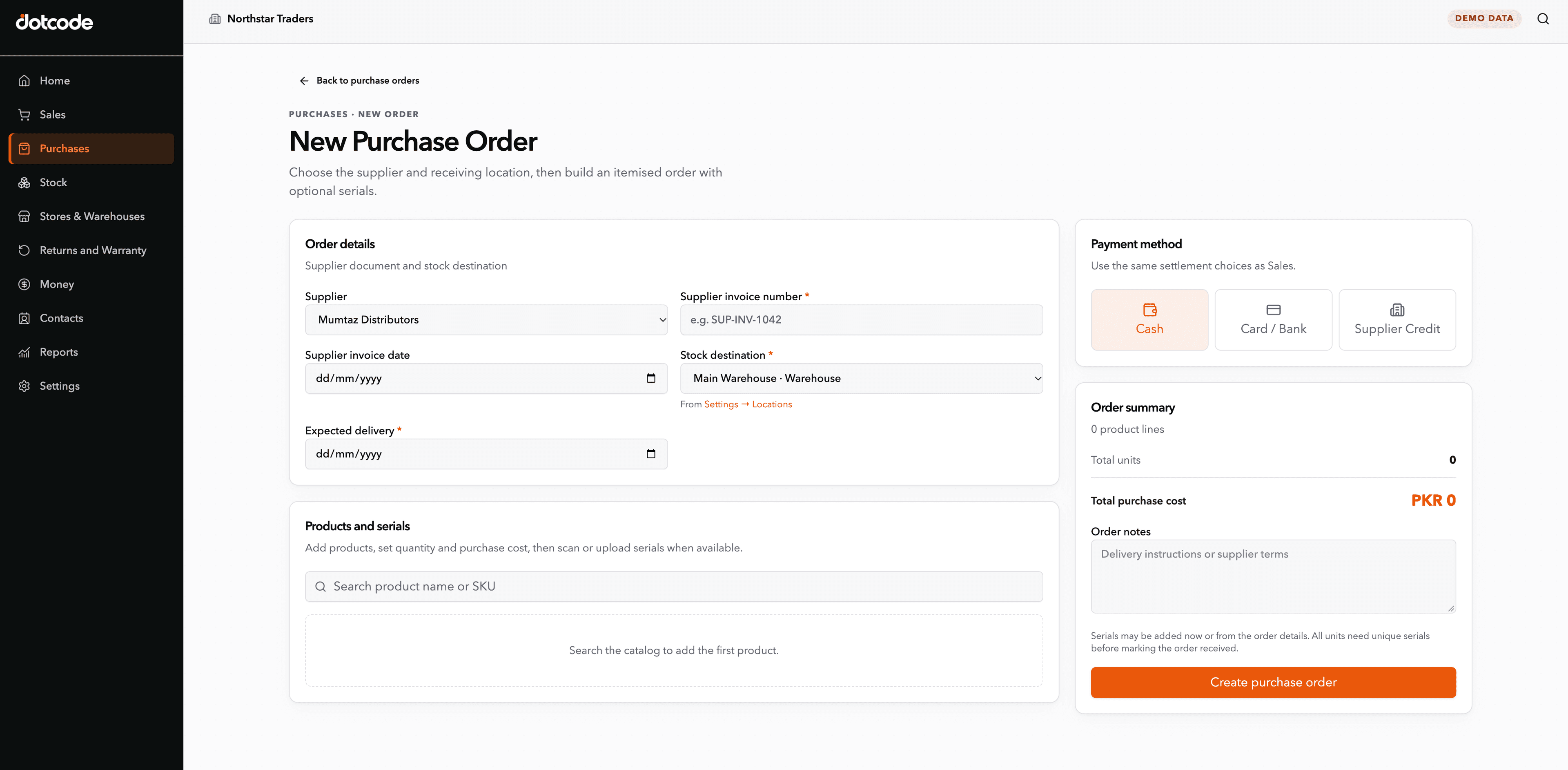
Bulk deliveries received against a named order.
The purchase order records the supplier, the ordered lines, costs and the site receiving the material. Receiving against it updates stock at that location, so the yard can explain where a consignment came from.
- Prepare: Record the supplier and destination site.
- Receive: Confirm quantities as the delivery arrives.
- Release: Update stock for the receiving location.
See whether QuickAccounts fits your workflow
Talk through your current records, team needs and setup before choosing a license.
Frequently asked questions
Can we hold stock in a yard and a showroom?
Yes. Each yard, warehouse or showroom can be a separate stock location, with transfers recorded between them.
Does it support contractor accounts?
Yes. Invoices and payments post to a customer ledger with a running balance, so trade accounts are visible in one place.
How are returns and invoice corrections handled?
They are recorded against the original sale and customer, with stock and account records updated from the same transaction.
Can we see which products move most often?
Sales and stock records give you the history to review. The demo can show how the team typically reviews movement before the next purchase.