
Dotcode for furniture retail
Inventory software for furniture and home furnishing businesses
Furniture and home furnishing businesses deal in fewer, higher-value items where every unit matters. Dotcode keeps showroom and warehouse stock distinct, and makes the sale, customer and invoice easy to trace when a question comes up weeks later.
- Free product demo
- Unlimited users
- Setup and team training included
High-value stock with a clear location
A display piece in the showroom and the same model in the warehouse are different stock positions. Defining each site as a location lets the team see where a unit is before confirming it to a customer, and transfers record the movement between showroom and store.
A sale record you can return to
Each invoice keeps the customer, the items billed and the location that released the stock together. When a customer asks about an order, the team can open the sale instead of reconstructing it from delivery notes and messages.
- Invoices connected to the customer and their account
- Stock released from a named showroom or warehouse
- Transaction history available for after-sales questions
Accounts for retail and trade buyers
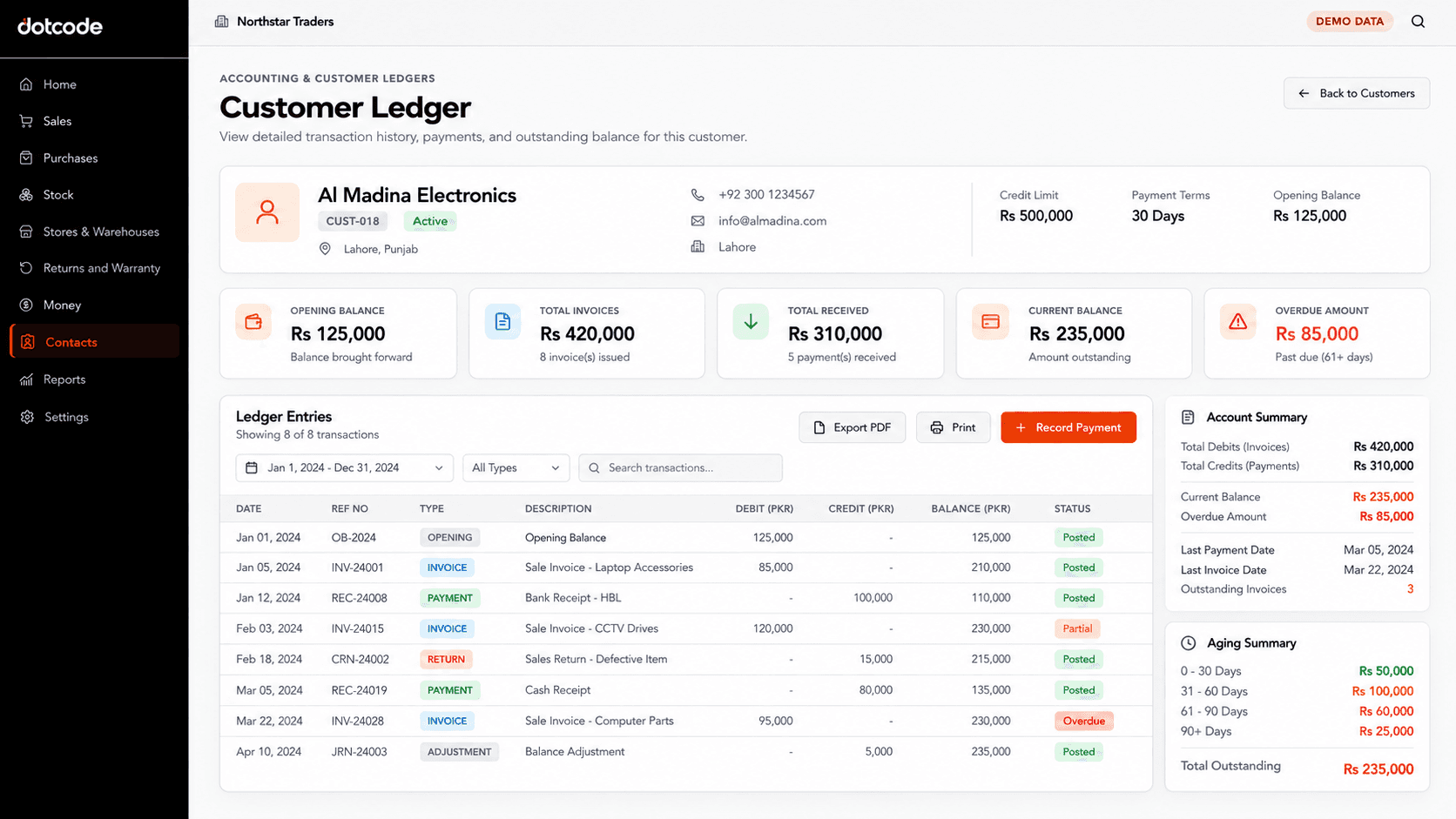
Interior designers, offices and resellers often buy on account. Invoices post to a customer ledger with a running balance, so the business can review outstanding amounts and the sales behind them in one place.
Returns, exchanges and adjustments
Furniture returns often involve a replacement or a price adjustment. The return is recorded against the original sale and customer, with stock and account entries updated from the same transaction. Dotcode provides setup, supported migration and team training.
Inside the workflow
Sales history for high-value purchases.
Invoices keep the customer, the items billed and the amounts together. When a customer returns with a question about a furniture purchase, the office can open the original sale and its account entries.
- Invoice: Record the sale against the customer.
- Post: Add the balance to the customer ledger.
- Review: Open the transaction during after-sales work.
See whether QuickAccounts fits your workflow
Talk through your current records, team needs and setup before choosing a license.
Frequently asked questions
Can we separate showroom and warehouse stock?
Yes. Each showroom, warehouse or store can be a separate stock location, with transfers recorded between them.
Does it support trade customer accounts?
Yes. Invoiced sales post to a customer ledger with a running balance, alongside the stock movement.
How are furniture returns and exchanges recorded?
They are linked to the original invoice and customer, so stock and account records stay consistent.
Can we manage more than one branch?
Yes. Locations are defined separately and stock movement between branches is recorded with a reference.