
Dotcode for clothing and garment trade
Inventory software for clothing retailers and wholesalers
Clothing businesses carry a wide, changing range across shop floors, stockrooms and wholesale warehouses. Dotcode gives each sellable line a clear record so purchasing, counter sales and trade accounts stay connected.
- Free product demo
- Unlimited users
- Setup and team training included
One catalogue for a changing range
Seasonal intake means the catalogue is never static. Each sellable line is recorded with a code and supplier context, so staff can search the range quickly and buyers can see what was ordered from which supplier.
- A single product record used by the counter and the office
- Supplier purchase history for each line
- Sales records that reflect what was actually billed
Shop floor, stockroom and warehouse in one view
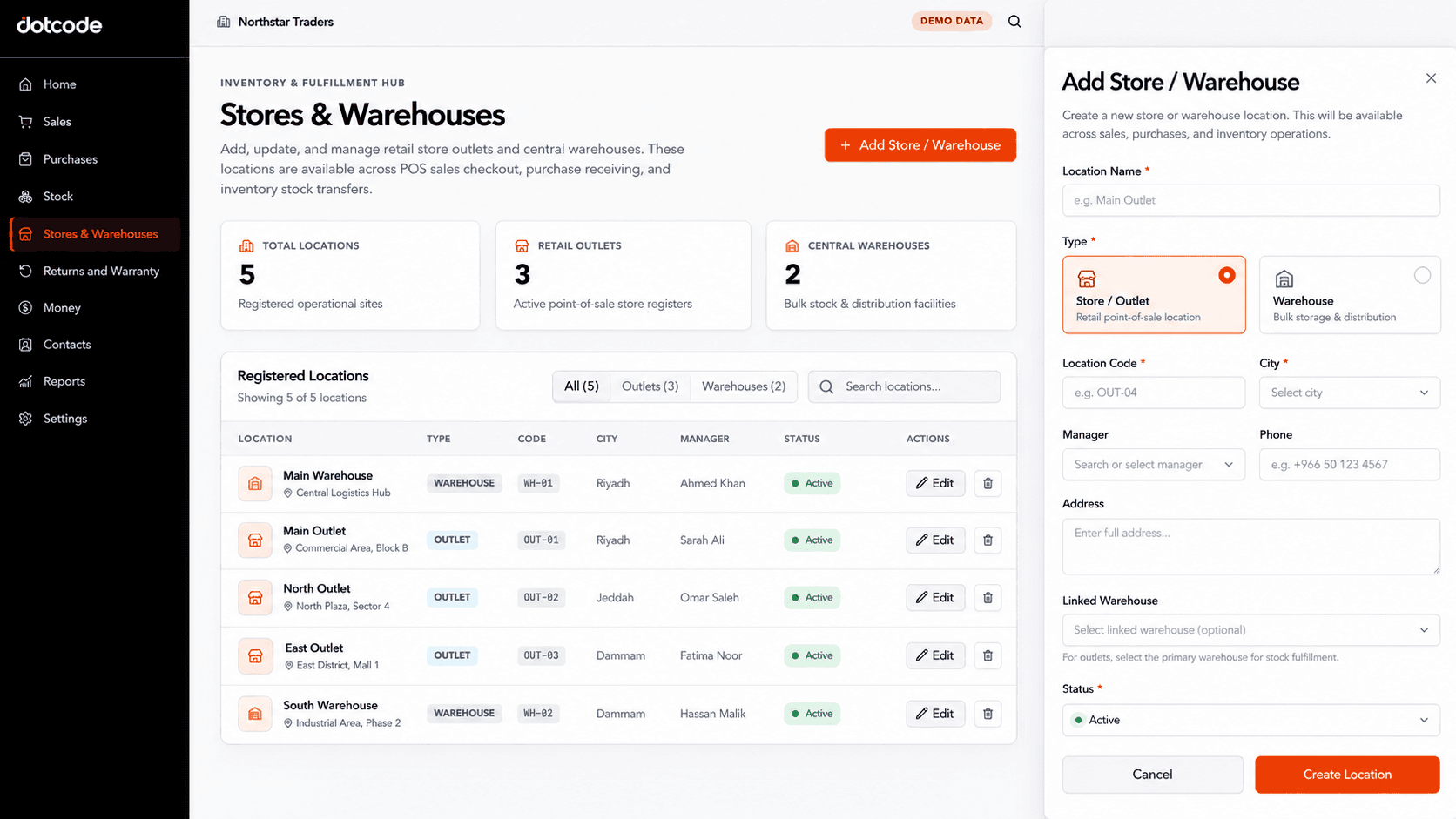
Retail outlets and storage locations can be set up separately, each with its own code and manager. Transfers between the stockroom and the shop, or between the warehouse and a branch, keep a direction and a reference instead of relying on informal notes.
Counter sales and trade accounts together
Retail bills taken at the counter can sync to the central stock and account records, while wholesale orders can be invoiced against a customer account. Both paths update the same catalogue, so the team is not reconciling two sets of figures at month end.
Exchanges with the original sale in view
When a customer returns an item, staff can trace it back to the original invoice and customer before deciding on an exchange or adjustment. The return posts against the stock record and, where relevant, the customer's balance so the paperwork matches the goods.
Inside the workflow
Each shop and stockroom has its own stock record.
Outlets, stockrooms and warehouses are defined as separate locations with their own codes. Sales and transfers then reference the location that released or received the goods, which keeps branch stock accountable.
- Define: Create a record for each shop and warehouse.
- Assign: Use the location on purchases and sales.
- Transfer: Move stock between sites with a reference.
See whether QuickAccounts fits your workflow
Talk through your current records, team needs and setup before choosing a license.
Frequently asked questions
How should we record styles with different colours and sizes?
Most retailers give each sellable line its own product code so staff bill the exact item. Share your item structure in the demo and the team will map it to the setup.
Can we manage several shops and a central warehouse?
Yes. Each outlet and warehouse is a separate stock location, and transfers between them can be recorded with a reference.
Does it support wholesale customer accounts?
Yes. Trade invoices can be posted to a customer ledger with a running balance, alongside the stock movement they create.
How are exchanges and returns recorded?
Returns are linked to the original sale and customer, then reflected in stock and account records. The demo can walk through a typical exchange from your shop.