Dotcode for grocery retail
Inventory and POS software for grocery stores and supermarkets
Grocery retail leaves little room for slow answers. A till sale changes stock, a delivery changes stock again, and cash has to reconcile at the end of the day. Dotcode keeps those movements connected so the store, the stockroom and the office see the same figures.
- Free product demo
- Unlimited users
- Setup and team training included
Counter sales that update stock as they happen
POS bills capture the products, quantities and payment at the till. Once synced, the sale updates the central stock record and the customer account where one applies, so the shop floor and the back office are not working from different totals.
Replenishment driven by stock records
Purchases are recorded against a supplier and a receiving location, then become the basis for the stock increase. Reviews of what is on hand and what has been ordered help the team plan the next delivery instead of reacting to an empty shelf.
- Supplier purchases tied to the receiving store or warehouse
- Stock records shared by the counter and the office
- Sales history that shows what is actually moving
Multiple outlets, one product catalogue
Shops, stockrooms and central warehouses can be set up as separate locations with their own codes. Transfers between them are recorded with a reference, which is useful when stock is moved between branches or brought in from a distribution point.
Cash and accounts in the same system
Cash movements, supplier balances and customer accounts sit alongside stock and sales. That makes daily reconciliation and account follow-up part of the same workflow, rather than a separate exercise at the end of the week. Dotcode provides setup, supported migration and team training.
Inside the workflow
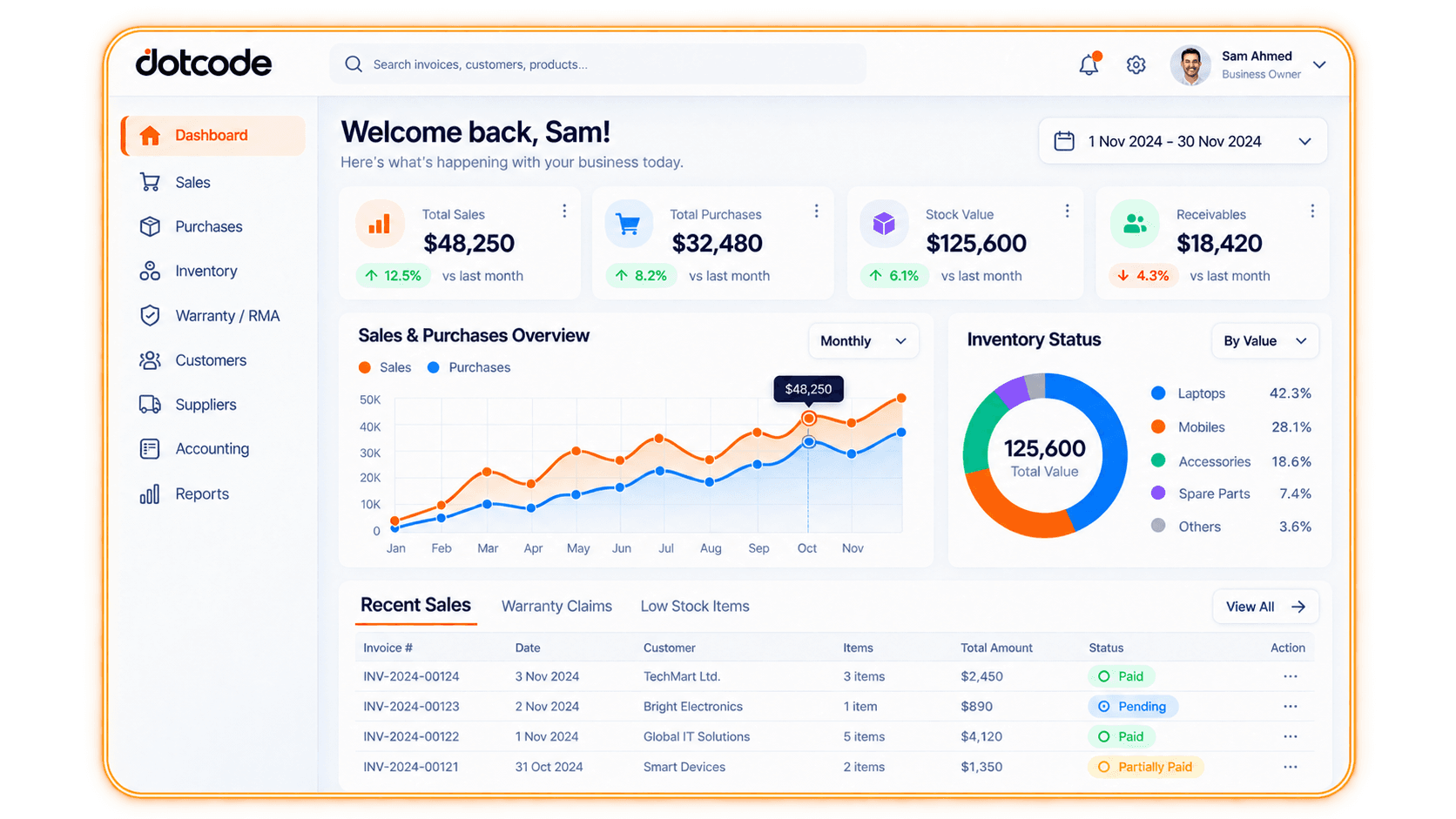
Counter sales reflected in the central record.
Once a POS bill is synced, the same sale updates stock, the customer account where applicable and the sales totals in the dashboard. Counter and office staff then work from the same figures.
- Bill: Record the products and payment at the till.
- Sync: Send the sale to central stock and accounts.
- Review: See updated totals and recent sales.
See whether QuickAccounts fits your workflow
Talk through your current records, team needs and setup before choosing a license.
Frequently asked questions
Can Dotcode connect with our current till setup?
POS integration connects counter sales to central stock and accounts. Share the till or POS software you use during the demo so the team can confirm the connection.
Can we manage several grocery outlets?
Yes. Each outlet and warehouse is a separate stock location, with transfers recorded between sites.
Does it record cash as well as stock?
Yes. Cash records, purchases, sales and customer or supplier balances are kept alongside the stock ledger.
Can it handle expiry dates or stock rotation?
Expiry and rotation requirements depend on your range and reporting. Bring those details to the guided demo so the team can confirm what the setup covers.